
WordPress Site Hacked? What to Do First, and How to Stop It Happening Again
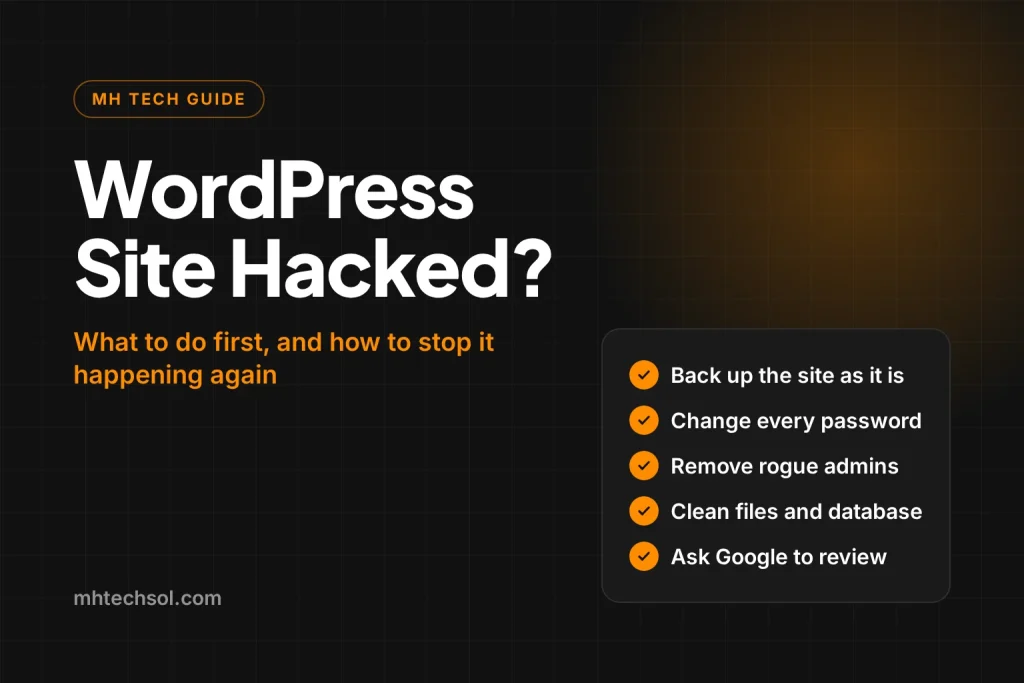
If your WordPress site has been hacked, act in this order: take a full backup of the site as it is now, change every password and remove any admin account you do not recognise, update or remove old plugins and themes, then find and delete what the attacker added before you ask Google to review the site. Skipping straight to a quick cleanup is why so many sites are hacked again a week later.
This guide comes from sites we have cleaned this year. In one, more than 11,000 casino pages had been published under a Melbourne taxi company’s name. In another, six business websites on the same hosting account were compromised through stolen logins. The patterns repeat, so the fix follows a pattern too.
How do you know your WordPress site has been hacked?
Hacks are rarely obvious from the homepage. Attackers want the site to keep looking normal so the owner does not notice. The signs we see most often:
- Search Console shows thousands of new pages you never wrote, often about casinos, pills or loans, or a sudden jump in indexed pages.
- Google shows a “This site may be hacked” warning, or your Google Ads are disapproved for a topic that has nothing to do with your business. One taxi company’s ads were flagged as gambling because Google crawled the spam on its site.
- Admin users you did not create, sometimes with blank email addresses and registration dates set years in the past so they sort out of sight.
- Visitors from phones are redirected to another site, while you see the normal site on your own computer.
- Your host suspends the account for sending spam or using too much server power.
A quick check you can do now: search Google for site:yourdomain.com casino or site:yourdomain.com viagra. Any results mean pages have been injected.
What should you do in the first hour?
- Take a full backup first. Download the files and the database as they are, hack included. You need it to see what changed, and to restore anything the cleanup breaks.
- Change every password. WordPress admins, hosting control panel, FTP, database and the email account linked to the site. Use a password manager and different passwords for each.
- Check the users list. Remove administrator accounts you do not recognise. Look closely at accounts with no email address or odd registration dates.
- Check the hosting account too. Attackers who get into the control panel often add their own API tokens and FTP accounts, so they can come back after the WordPress cleanup. Remove anything you did not create.
- Put the site in maintenance mode if it is redirecting visitors. Protecting customers matters more than a few hours of downtime.
How do attackers get into WordPress?
In almost every site we have cleaned, the way in was one of four things:
- An old plugin with a known hole. Page builders and their add ons, form plugins and file manager plugins are common targets. One site was still running a page builder version from 2021 with a published security flaw.
- Stolen or reused passwords. In one case spam kept arriving through WordPress’s xmlrpc.php file with a valid admin password, even after the site was cleaned, until that file was blocked.
- File manager plugins. They let anyone with admin access upload and run code. One hacked site had two installed.
- Nulled themes and plugins. Free copies of paid products from unofficial sites often include a backdoor.
How do you clean a hacked WordPress site properly?
- Replace WordPress core files with a fresh download of the same version, so any modified core file is overwritten.
- Remove every plugin and theme you do not use, and reinstall the ones you keep from the official source. Delete file manager plugins.
- Search the uploads folder for PHP files. Images and documents live there, so a PHP file in uploads is almost always a backdoor.
- Clean the database. Delete injected posts and pages in bulk, remove rogue users and check for scripts hidden in widgets, options and post content.
- Check .htaccess and wp-config.php for redirects and code you did not add.
- Block what was used to get in, such as xmlrpc.php if you do not need it, and turn off file editing inside the WordPress dashboard.
- Remove the spam from Google. Make sure deleted spam pages return a 404 or 410 status, submit a clean sitemap and, if Search Console shows a security issue, request a review once the site is clean.
A security plugin scan is useful, but in our experience it is not enough on its own. The taxi site with 11,000 spam pages had a well known security plugin active the whole time.
How long does it take for Google to recover?
Once the site is clean and the review is approved, the warning usually disappears within a few days. Spam pages drop out of Google over a few weeks as they are recrawled and return 404 or 410. Rankings for your real pages normally return once the spam is gone, and faster if you ask Google to recrawl your most important pages in Search Console.
How do you stop it happening again?
- Update WordPress, plugins and themes every month, and remove anything you no longer use.
- Give each person their own login, with the lowest role they need, and remove old staff and agency accounts.
- Use strong unique passwords and two step verification for admins and the hosting account.
- Keep daily backups stored away from the website’s own server.
- Check Search Console every month for pages you did not create.
Sites built without page builders and stacks of plugins are simply harder to break into, because there is less code to attack. That is one reason our websites are built on lean custom themes, and every site we look after month to month gets updates, backups and security checks.
Frequently asked questions
Should I restore an old backup instead of cleaning the site?
Only if you know the backup was taken before the hack, and only after you have closed the hole that let the attacker in. Many sites are compromised months before anything shows, so an older backup can carry the same backdoor.
Will my Google rankings recover after a hack?
Usually, yes. Once the spam is removed and returns a 404 or 410 status, Google drops it and your real pages recover. The longer the spam stays live, the longer recovery takes.
Can my host clean the site for me?
Some hosts offer malware scanning, but most will not clean WordPress itself or find hidden admin accounts. They are a good first call for blocking attacks at the server, not for the full cleanup.
Need help with a hacked site?
We clean hacked WordPress and WooCommerce sites, close the gap that let the attacker in and ask Google to remove any warnings. Send us your website on WhatsApp and we will tell you what we find, usually within 24 hours.

Hamza is the founder and CEO of MH Tech Solutions, a Google Partner agency, with more than 8 years of experience in SEO, Google Ads and websites. He works with taxi companies, online stores and service businesses in Australia, the UK, the US and Europe.
Ready to Grow? Let's Talk.
No sales pitch. No fluff. Just an honest look at your digital presence and a clear plan to grow it. Free, with no obligation.